Text to video generation for an old style newsreel about a “superhero” called The Chairman. Run locally using ComfyUI and MiniMax H3, edited in Shotcut.
“Half chair, ALL man. He is The Chairman.” This was just being silly with the word chairman and problem solving to generate what I wanted. I was originally thinking of making a simple gif of the man transforming into a chair and back, so it would loop nicely.
Since AI-generated content is different each time, this would be a little tricky to get the man->chair and the chair->man to line up.
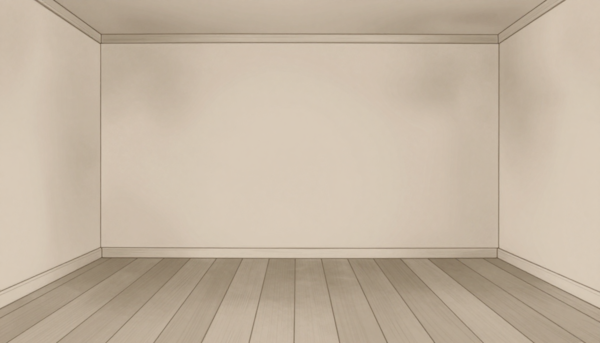
I generated an image of the room I wanted them to be in. This is the scaled down result once I got it to stop adding a couch:
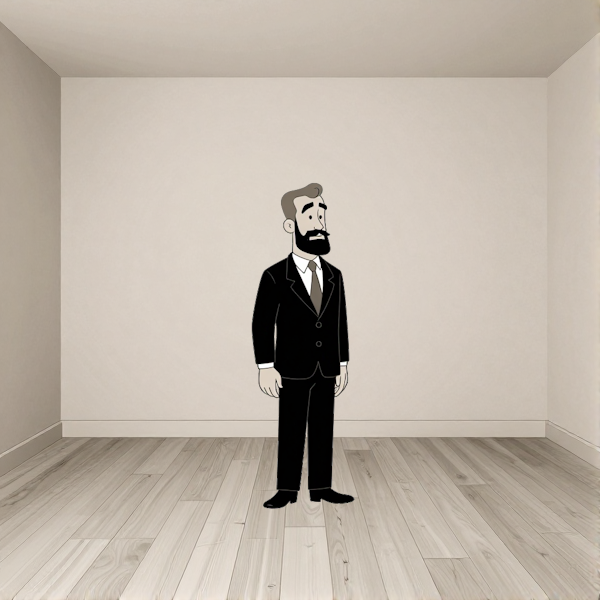
I generated an image of the man with a solid background, so I could cut it out with transparency to use as a layer in the room.
And then the same thing with the chair:
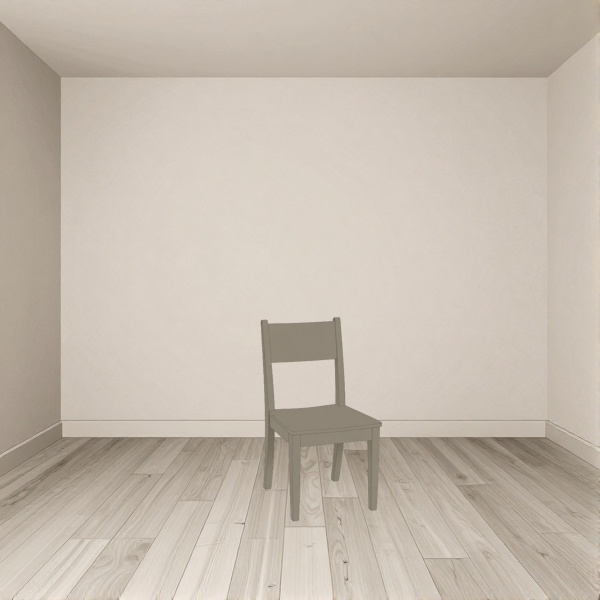
I then went to generate a video with the man in the room as the “first frame” and the chair in the room as the “last frame” and a prompt telling it to transform the man into the chair in the 6 second clip. The transformation turned out fine in the resulting clip but despite a few attempts to get the camera to keep the camera fixed, it would always zoom a little bit to “help” bring the chair to the man, which I thought was distracting. I tried regenerating the room image to be wider and match the dimensions of the video resolution but it didn’t help.
Time for a new approach#
Since the chair was pretty simple to render consistently, I used the man in the room as the “first frame” and no “last frame”. The prompt then instructed MiniMax H3 to do the transformation in the room and it worked out, once I got specific enough about the morphing. Otherwise, the man would just disappear from above and the chair would appear from below like PowerPoint effects.
I probably could have had the video generate the man->chair->man loop but I went for the shorter man->chair step, assuming the man would look too different on the return loop. It ended up being helpful to have the clips separate for the final video.
Man to Chair Prompt
Using the provided start frame, create a smooth transformation where the 1950s businessman in the first frame slowly turns into a simple plain wooden dining side chair (muted sepia gray-brown tone, vintage 1950s cartoon style, clean line art, flat shading, tall rectangular backrest with two vertical uprights and a horizontal top rail, square seat, four straight legs, no armrests). He shrinks to the chair’s height and his head and upper torso morphs into the chair’s back. His lower torso and lap morphs into the chair’s seat. His legs morph into the chair’s legs.
Keep the background the same sepia inside of the room, maintain the sepia-toned vintage 2D animated cartoon style, and make the transition feel like a seamless loop segment. The camera does not move, zoom, or pan.
NO audio. No background music. No spoken language.
Once I had the man->chair clip, I went to Shotcut and reversed the clip so I then had a chair->man clip.
Silent Film Captions#
After I saw the images, I started picturing an old-timey superhero announcement (hence the sepia), so I wanted to do a newsreel approach. Creating the text-to-video prompt for that, Gemma 4 12B QAT suggested two options: A text-to-video prompt with the caption or a text-to-video prompt with just the effects that I could overlay on the text (since AI generators have difficulty with getting text exactly right every time). This was the prompt:
Newsreel Prompts
Vintage 1950s newsreel aesthetic, sepia-toned monochrome, pitch-black background. Centered white text in a bold, readable vintage typewriter font that reads ‘Ordinary man by day…’. Heavy film grain, white dust particles, vertical film scratches, flickering light effect, old reel-to-reel film texture, 2D flat animation style.
Vintage 1950s newsreel aesthetic, sepia-toned monochrome, pitch-black background. Centered white text in a bold, readable vintage typewriter font that reads ‘Ordinary chair by night…’. Heavy film grain, white dust particles, vertical film scratches, flickering light effect, old reel-to-reel film texture, 2D flat animation style.
Shotcut Filters Won#
Ultimately, I went with simpler and faster filters in Shotcut. I created a text clip in Shotcut and applied 4 “old time” effects to give it a newsreel feel with projector shakes, scratches, and dust. The text was exactly right this way and copy+paste let me make quickly adjust each caption that I needed.
The final video:#
I did generate the gif that I wanted of the man->chair->man loop but it was pretty large in size and I liked the whole video more.